Fill out your information, and we'll do the calculations for you
Blog Details
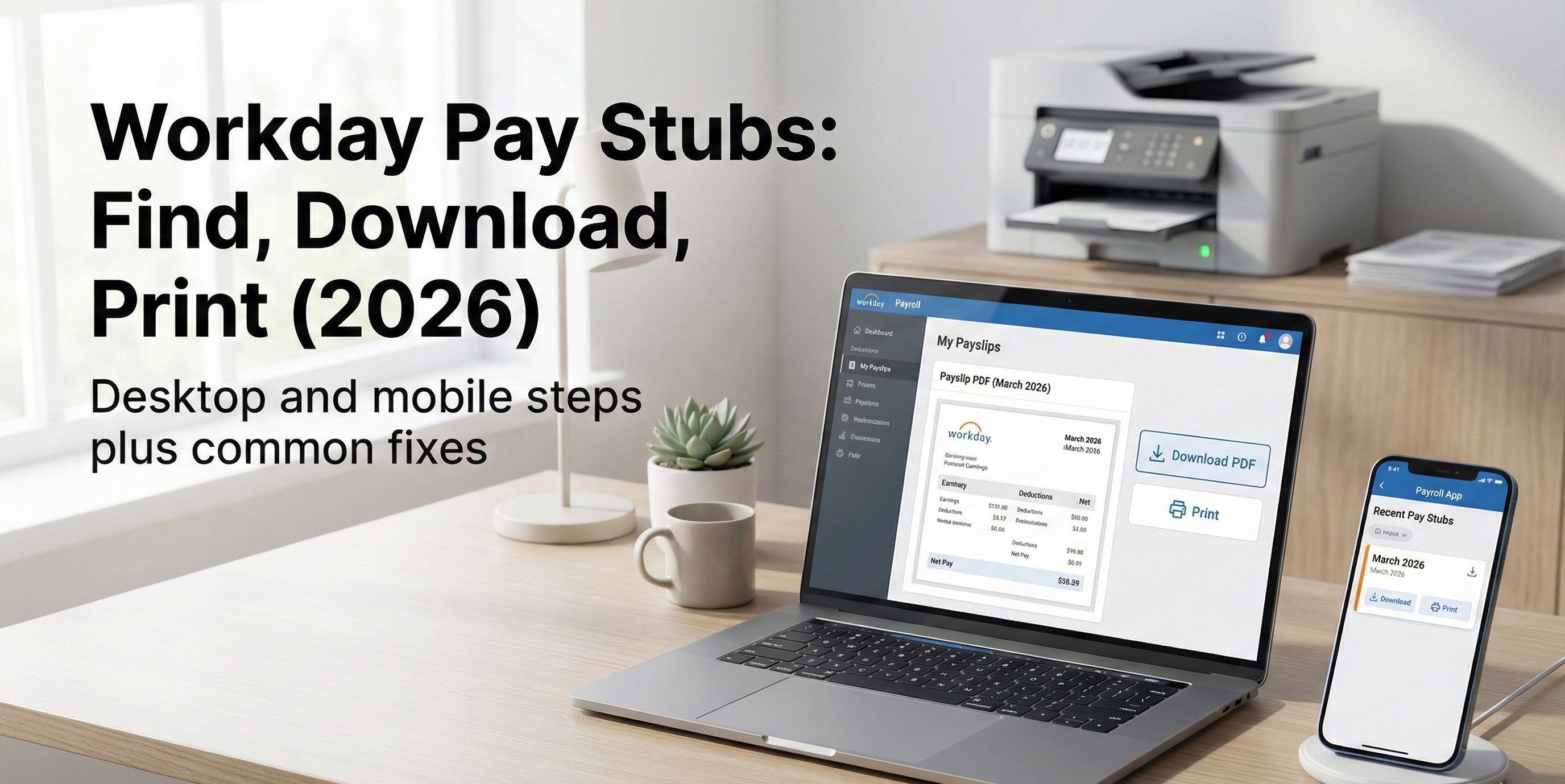
Workday Pay Stubs: How to Find, Download, and Print Payslips on Desktop and Mobile
Last updated: February 4, 2026
Important: This guide is general information only. Workday is configured by each employer, so labels and menus can look different. If anything here does not match what you see, your HR or IT team is the source of truth.
If you searched “Workday pay stubs,” you likely want one simple outcome: open your payslip, save a clean PDF, and print it if needed.
This guide shows the most common paths people use in Workday, what to do when the payslip area is missing, and how to avoid the mistakes that cause delays during rentals, loans, background checks, or HR requests.
Quick answer
- Workday does not have one universal employee login. Your employer provides a unique sign in link and access method.
- In most Workday setups, payslips live under a Pay or Compensation area, or inside your Profile menu.
- You can usually download a PDF from a print or download option on the payslip screen.
- If you do not see payslips, it is usually a permissions issue, a country payroll setup difference, or you are in the wrong tenant.
On this page
- Before you start
- How to find payslips on desktop
- How to find payslips in the Workday mobile app
- How to download and print a Workday pay stub
- Troubleshooting when pay stubs are missing
- Former employee access
- Using a Workday pay stub for proof of income
- How to read the lines on your pay stub
- FAQs
- Related guides on ePayStubs
Before you start
1) Make sure you are using your employer’s Workday sign in page.
Workday access is managed by your employer. If you try to sign in from a generic page without the right company link, you can land in the wrong place or hit a loop.
2) If you do not know your sign in link, do not guess.
Ask HR or IT for the correct Workday sign in page, and confirm whether your employer uses single sign on, a company QR code, or a tenant URL.
3) Have one recent pay date ready.
When you open Payslips, you will often see a list. Knowing the pay date you need saves time.
How to find payslips on desktop
Workday menus vary, but most employers use one of these common paths. If the first path does not match your screen, try the next one.
| Common path | What to click | What you should see |
|---|---|---|
| Profile to Pay to Payslips | Your profile photo or name, then Pay, then Payslips | A list of payslips by pay date |
| Pay app shortcut | Open the Pay or Payroll area, then look for Payslips | A payslip list or a pay history page |
| Search bar method | Use Workday search and type Payslip or View Payslips | A task result that opens the payslip list |
| My tasks or shortcuts | Look for a tile such as My Payslips or View Payslips | A direct link to payslips |
Tip: If you see “Pay Statements” instead of “Payslips,” that is normal in some setups. It usually means the same thing.
How to find payslips in the Workday mobile app
The mobile app is often faster once you are set up correctly, but the initial setup can differ by employer.
Step 1: Open the Workday app and sign in using your employer’s method.
Step 2: Tap your Profile, then look for Pay, Compensation, or a Payslips module.
Step 3: Open Payslips and select the pay date you need.
What if you do not see a Payslips module?
Use the app search and type Payslip. If nothing appears, your access might be restricted on mobile, or your payroll country setup is different.
How to download and print a Workday pay stub
Once you are viewing the payslip, the goal is to produce a clean PDF that matches what a third party expects.
Download as PDF
- Open the payslip for the correct pay date
- Look for an action menu, print option, or download option
- Save as PDF
Print a paper copy
- Open the saved PDF first
- Print from your PDF viewer so margins and scaling are correct
- If there is a “fit to page” option, use it only if it does not cut off totals
Fast quality check before you send it to anyone
- Your name and pay date are visible
- Employer name is visible
- Gross pay and net pay are visible
- Year to date totals are visible if the request expects them
- The PDF is not a cropped screenshot
Troubleshooting when pay stubs are missing
Problem 1: I cannot log in at all
Most common cause: wrong sign in link or wrong tenant.
Fix: ask HR or IT for the exact Workday link and confirm whether you should use single sign on. Workday itself typically directs employees to their HR or IT team for the company sign in page and access support.
Problem 2: I am logged in but I do not see Payslips or Pay
Most common cause: permissions or role setup.
Fix: ask payroll or HR to confirm you have employee self service payroll access, and ask them what the payslip task is called in your setup.
Problem 3: I see pay info but only some pay periods
Most common causes:
- You are looking at a filter such as recent payslips only
- You switched country or pay group
- Your employer changed payroll providers or migrated tenants
Fix: adjust filters first, then ask payroll whether older payslips live in a legacy system.
Problem 4: My payslip opens but the PDF looks wrong
Common causes: browser print scaling, blocked popups, or a mobile share method that compresses the file.
Fix: use Save as PDF from a desktop browser if possible, then print from the saved PDF.
Problem 5: The numbers look off
If the issue is not access, it is usually a pay stub line item question. Two fast checks solve most confusion:
- Compare your last pay stub to the current one, line by line
- Check whether Social Security, benefits, or retirement lines changed due to a calendar year reset
Helpful related reading on ePayStubs:
- Why January paychecks look smaller
- 2026 pay stub deductions explained
- Pay stub abbreviations decoded
Former employee access
Many employers keep former employee access open through a separate link or a different sign in process. Some shut it off after a set period.
What to do:
- Search your email for separation instructions or “Workday alumni” access notes
- Ask HR for the former employee sign in route and the timeline for access
- If you only need year end records, you may be able to use your final pay stub plus your year end tax form
Related guide:
Using a Workday pay stub for proof of income
When someone asks for a pay stub, they usually want consistency and clarity, not a screenshot.
Most common requests:
- Last two pay stubs
- Last month of pay stubs
- Year to date pay stub totals
Best practice: export PDFs and combine them into one file if the request is for multiple pay periods.
If you are self employed or you do not receive employer generated stubs
You can still document income, but it needs to be accurate and verifiable. Start here:
How to read the lines on your pay stub
Workday shows the document, but it does not always explain the codes. If you are unsure why net pay changed, these are the four areas to review in order:
- Earnings lines such as regular hours, overtime, bonus
- Pre tax deductions such as health insurance or retirement
- Taxes withheld such as federal, state, Social Security, Medicare
- Post tax deductions such as garnishments or after tax benefits
Use these guides when the stub is readable but confusing:
- Pay stub abbreviations and codes
- FICA and Medicare lines in 2026
- 27 pay periods in 2026 and what it means for pay stubs
FAQs
Where are pay stubs in Workday
In many setups, they are under your Profile then Pay then Payslips, or inside a Pay or Payroll area. If you do not see it, use the Workday search and type Payslip or View Payslips.
Can I download Workday pay stubs as a PDF
Most employers allow you to export or print a payslip and save it as a PDF. If the PDF looks cut off, save it from a desktop browser and print from the saved PDF file.
Why can I not see Payslips
The most common reason is permissions. Ask payroll or HR to confirm you have employee access to pay statements in Workday. Also confirm you are signing in to the correct employer tenant.
How do former employees get Workday pay stubs
It depends on the employer. Some provide an alumni sign in route. Others disable access after a time window. HR can tell you the correct process, and you can often use your final pay stub plus your year end forms when you only need totals.
Is it safe to email a pay stub
Pay stubs contain sensitive data. If you must share them, use a secure method and share only what is required. For many use cases, a PDF is preferred over screenshots because it is clearer and less likely to be rejected.
Related guides on ePayStubs
- Pay stub requirements by state
- Real pay stub verification checklist
- Gross monthly income from any pay schedule
- What is annual income
- How to void a check safely
- Example employer pay stub access guide
Need a clean pay stub for your records
If you do not receive employer generated pay stubs, or you need a consistent record for your own documentation, use a pay stub generator only with real, verifiable numbers.
Recent Posts
If the white whale be raised it must be...

The new rules of personal finance in...
Every business owner must be able...