Fill out your information, and we'll do the calculations for you

Create Your W-4P Form Online

Enter your personal, pension, credit, adjustment, and signature details, then review your completed Form W-4P before continuing.

Start Free Preview
3 simple steps
1

Enter Details

Add W-4P information

2

Review

Check the live preview

3

Get a Copy

Continue to your PDF

Complete all required fields

Fields marked with an asterisk are required before you can submit Form W-4P.

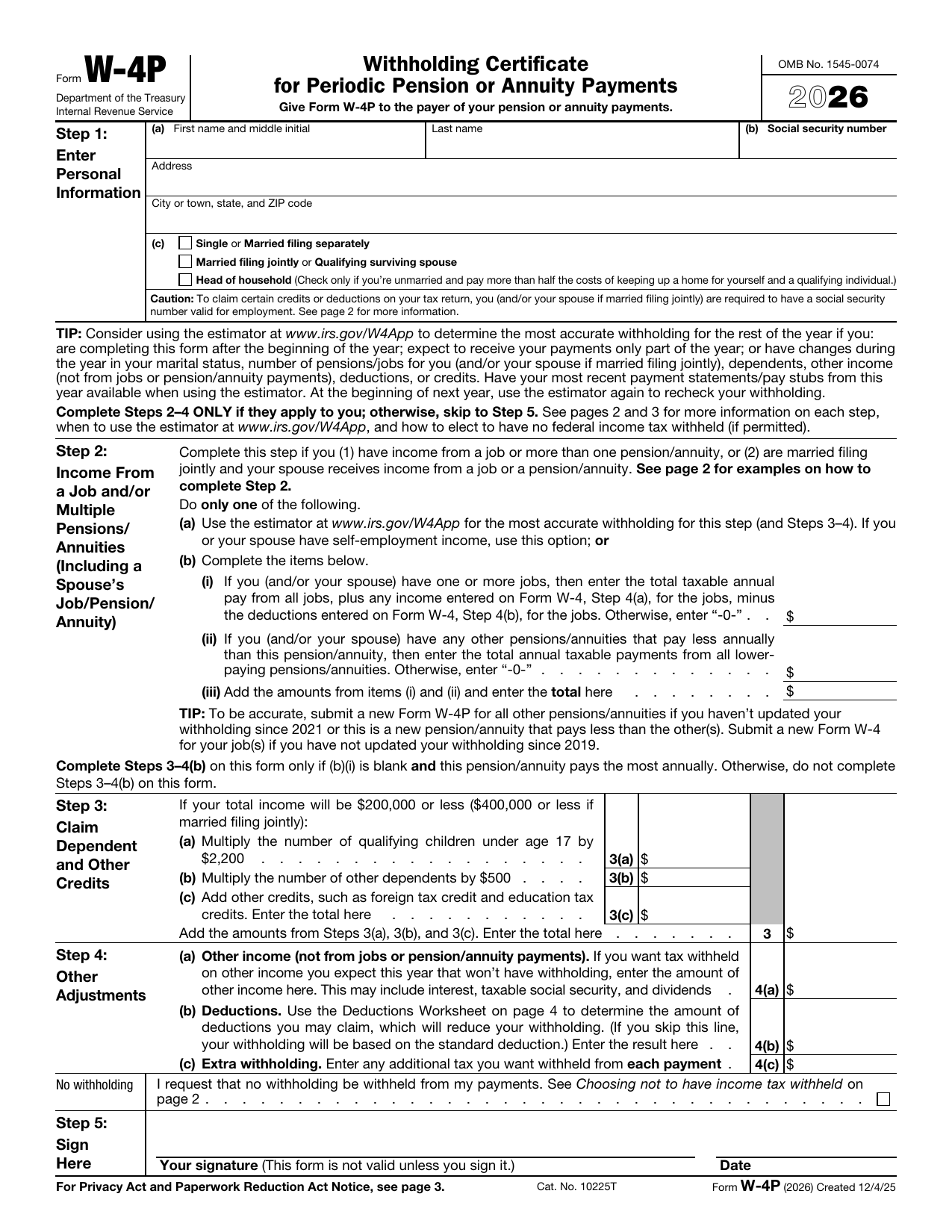
Step 1: Personal Information

Filing status

Step 2: Income From a Job or Multiple Pensions or Annuities

Complete this step when you have income from a job, more than one pension or annuity, or when filing jointly and your spouse receives job, pension, or annuity income.
$
$
$
Complete Steps 3 through 4(b) on this form only when the job-income field above is blank and this pension or annuity pays the most annually.

Step 3: Claim Dependent and Other Credits

Complete this step when your total income will be $200,000 or less, or $400,000 or less when married filing jointly.
Each qualifying child is multiplied by $2,200.
$
Each other dependent is multiplied by $500.
$
$
$

Step 4: Other Adjustments

$
Do not include income from jobs or pension and annuity payments.
$
$

Step 5: Signature and Delivery

Form W-4P is not valid unless it is signed. Give the completed form to the payer of your pension or annuity payments.
Use your mouse or finger to sign.

Your W-4P Form Preview

The preview uses the original IRS W-4P images and updates automatically.

IRS Form W-4P page 1
Signature
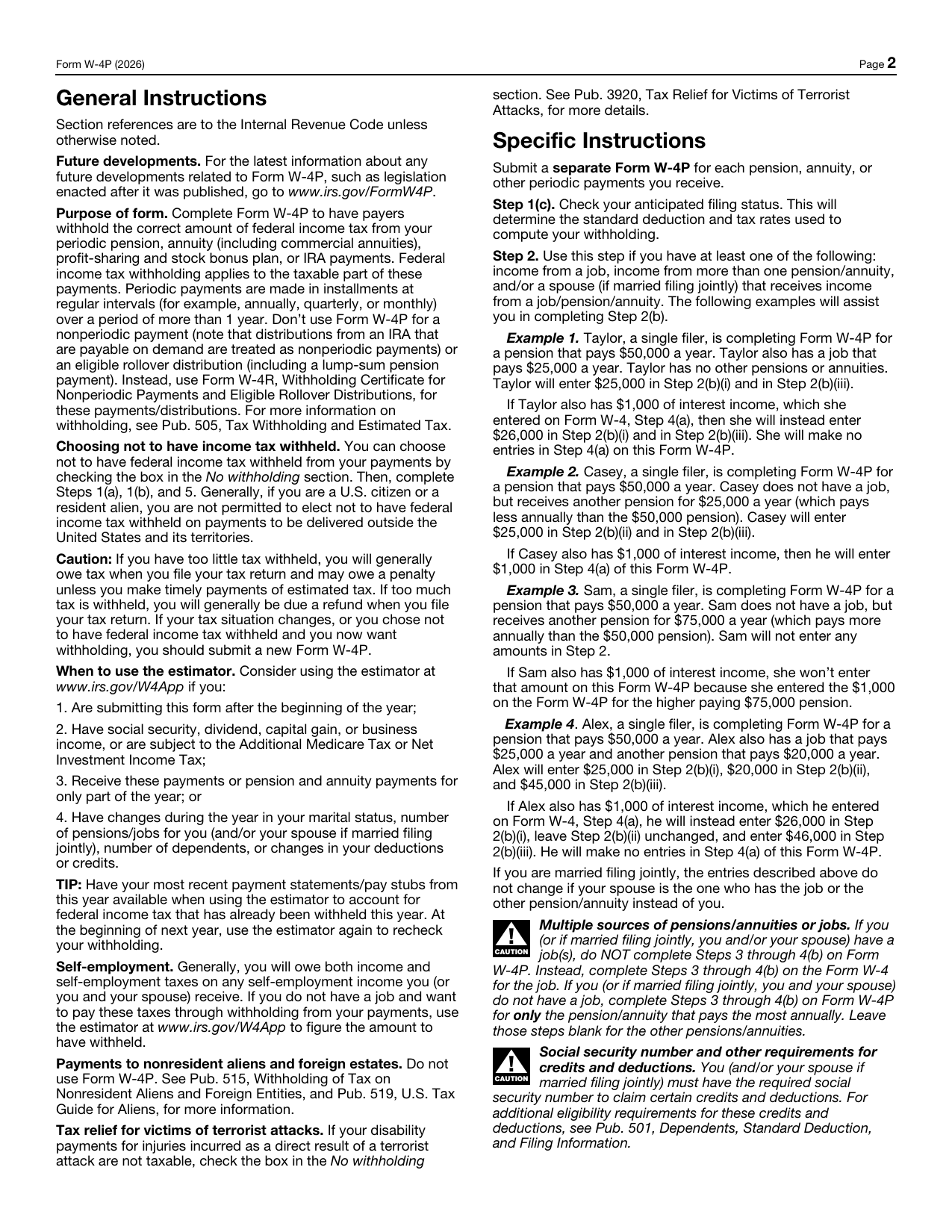
IRS Form W-4P page 2
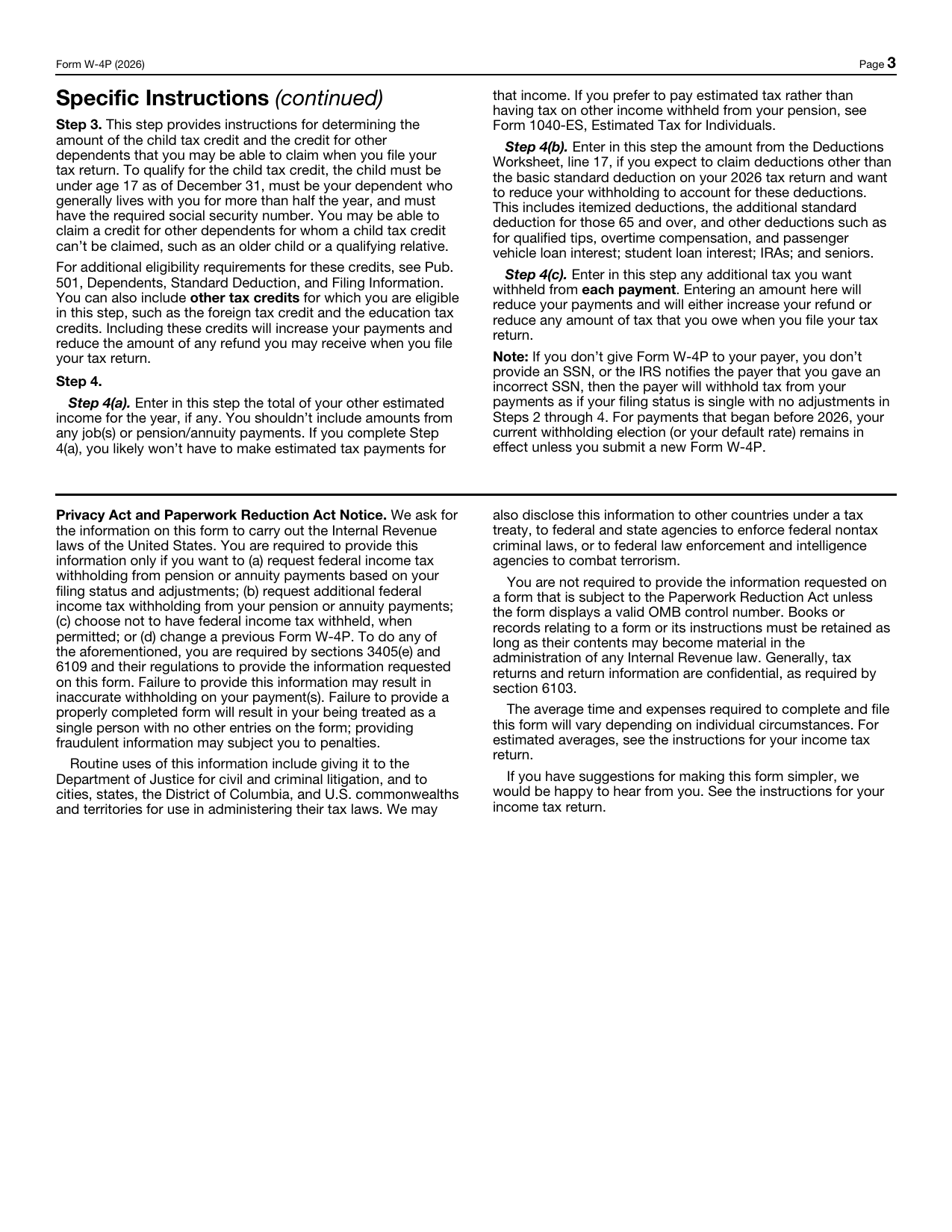
IRS Form W-4P page 3
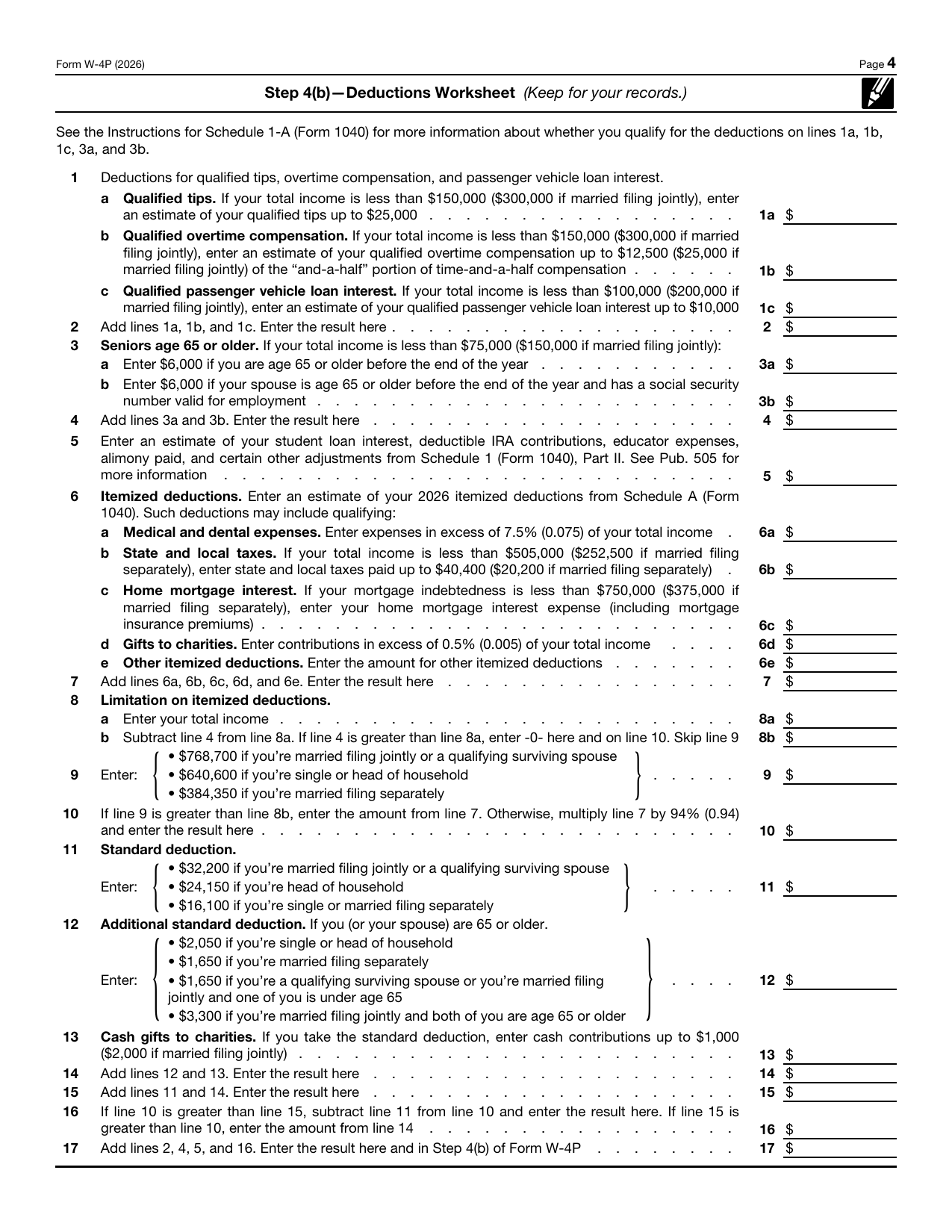
IRS Form W-4P page 4

Your information is used to prepare Form W-4P and process the order securely.

ePaystubs Support Support team is online

Start a conversation

Enter your details and tell us how we can help.

Your conversation will appear here.
This conversation has been closed by the support team.