
Can Employers Email W-2 Forms? Consent, Security, and Delivery Rules
Employers can furnish W-2 forms electronically, but there is an important difference between an employee agreeing to digital delivery and a company simply emailing every worker a PDF. Federal rules govern employee consent, disclosures, access, and notice. An employer should not assume a routine email attachment satisfies all of those requirements.
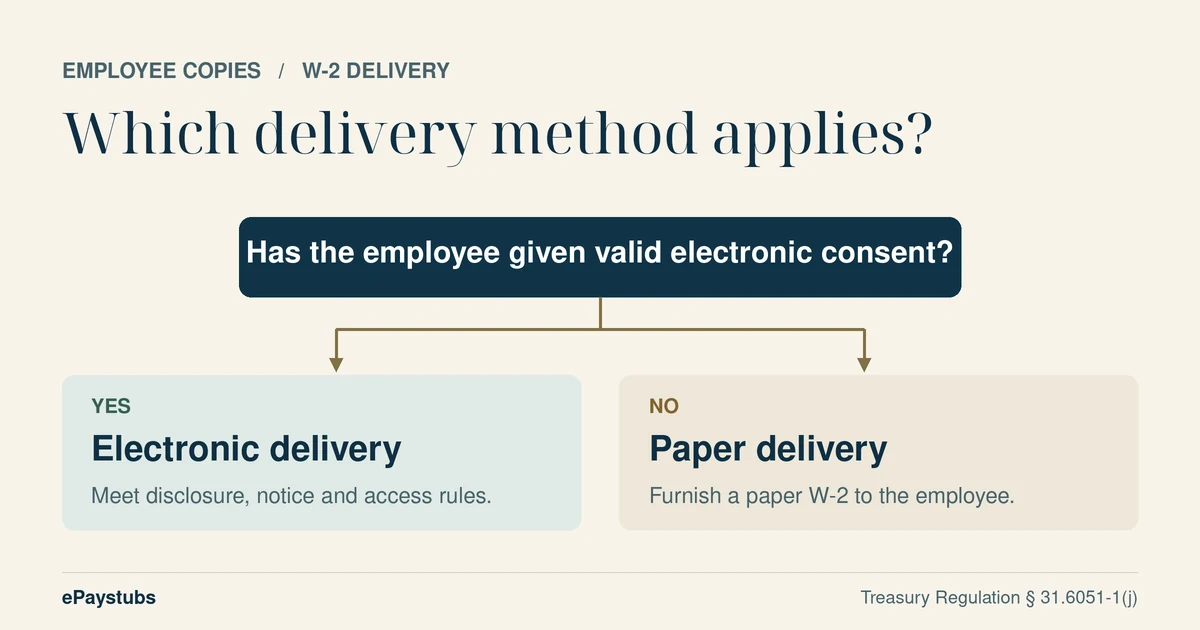
Quick answer: An employer may provide a W-2 electronically when the recipient has given valid consent and the employer meets IRS disclosure and delivery requirements. If the employee does not consent or withdraws consent before the statement is furnished, the employer generally must use a compliant paper-delivery method.
What does the IRS require for electronic W-2 delivery?
Under Treasury Regulation 31.6051-1(j) and IRS Publication 15-A, the employer must meet specified requirements before replacing a paper W-2 with an electronic statement.
Key considerations include:
- Valid employee consent. It must demonstrate that the recipient can access the electronic format being offered.
- Clear disclosures. Employees must be told what they are consenting to, how to request a paper copy, and how to withdraw consent.
- Access details. The employer must explain technical requirements needed to view, print, and retain the statement.
- Availability and notice. The employer must follow the rules for making the W-2 available and notifying the recipient.
- Consent changes. Withdrawal and contact-information changes must be handled under the applicable procedures.
Review the complete IRS requirements before designing your delivery workflow. A website login alone does not replace consent.
Is sending a W-2 as an email PDF allowed?
An email can play a part in a compliant electronic-furnishing process, but an unsolicited, unprotected attachment is not a sound default. An ordinary email can be forwarded, sent to a mistyped address, or accessed by someone who should not see the employee's wage and identification details.
A more controlled workflow typically uses an authenticated payroll portal, a secure access method, employee consent records, and delivery notices that meet the federal requirements. The precise method must still comply with the regulation and any applicable state privacy or wage-statement rules.
Paper versus electronic delivery
| Question | Paper W-2 | Electronic W-2 |
|---|---|---|
| Employee electronic consent required? | No, for normal paper furnishing. | Yes, under the federal electronic-furnishing rules. |
| Can an employee print and retain it? | Paper is already printable. | The system must support required access/retention conditions. |
| What if the employee withdraws electronic consent? | Continue with compliant paper delivery as required. | Respect the withdrawal according to the regulations. |
| General due date for 2026 wages | February 1, 2027 | February 1, 2027 |
Example: three employees with different preferences
A fictional company has three employees:
- Alex consented through a payroll portal after seeing the required disclosures and can open the W-2 in the stated format. Electronic furnishing may be appropriate if all remaining rules are satisfied.
- Jordan never consented. The company should not substitute an electronic-only W-2 for required paper delivery.
- Sam previously consented but withdrew consent before the electronic W-2 was furnished and the withdrawal was effective. The company must handle that change under the paper-furnishing rules.
The key is the employee's actual consent status at the relevant time, not a broad policy that all payroll documents are digital.
Employer checklist before offering electronic W-2 forms
- Choose a secure delivery method that supports the required access, printing, and retention functions.
- Present the IRS-required disclosures clearly before or when collecting consent.
- Record valid employee consent and any effective withdrawal.
- Give employees a way to update the information needed to receive notices.
- Test the employee portal and delivery notification using dummy data, not real Social Security numbers.
- Prepare compliant paper delivery for workers without valid electronic consent.
- Furnish 2026 statements by February 1, 2027, and separately complete SSA filing.
How does this relate to preparing a W-2?
Preparing the wage statement and delivering it legally are separate responsibilities. Employers may use the ePaystubs W-2 Form Generator for authorized preparation and review, but the employer must independently satisfy employee consent, delivery, and official filing requirements. Keep the employee’s consent record and the SSA filing confirmation separately.
Frequently asked questions
Can employers require every employee to receive W-2s by email only?
They should not assume so. Federal electronic-furnishing rules require consent; employees who do not consent generally must receive their W-2 through a compliant non-electronic method.
Is a W-2 posted in a company chat considered delivered?
Not simply because it was posted. The employer must meet the IRS's rules about consent, notice, access, and furnishing.
Can employees request a paper copy after consenting?
The electronic-consent disclosures must explain the procedure for requesting a paper copy and whether that request affects electronic consent.
Can former employees receive W-2s electronically?
Potentially, if a valid consent and compliant access/delivery method still apply. Employers must account for termination-related access and disclosure requirements.