
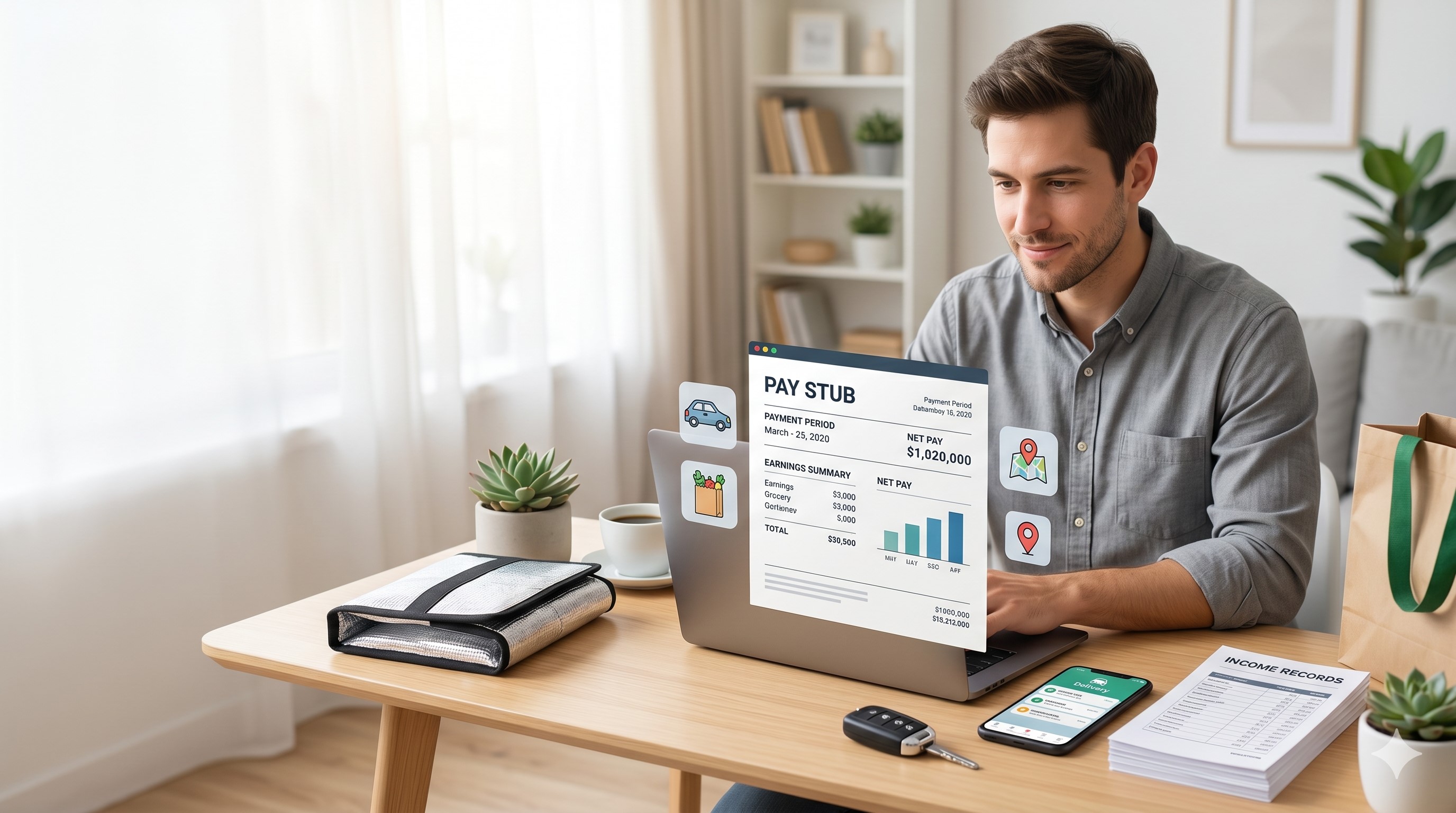
Uber, DoorDash & Instacart Pay Stubs: 2026 Guide
Written by the ePaystubs Editorial Team · Last updated: August 14, 2026
No delivery app gives drivers a traditional pay stub. Not Uber, not DoorDash, not Instacart, not Grubhub, not Lyft, not Amazon Flex. Every one of them, though, gives you an official earnings record you can download, and each app hides it in a different place. This guide is the map: where every major app keeps your income records, which apps offer real third-party verification, and how to turn those real numbers into a clean pay stub when a landlord or lender asks for one.
The short version: delivery apps treat drivers as independent contractors, so there is no payroll department and no pay stub. Your proof of income is the app's own earnings record, your bank deposits, and your 1099, formatted into a document reviewers can actually read.
What no app gives you: an employee pay stub, because drivers are independent contractors.
What every app gives you: an official earnings record, downloadable weekly or monthly.
Easiest verification: Instacart's letter on company letterhead, then DoorDash through Truework.
Hardest: Amazon Flex, where the app itself is your only record.
New for 2026: the IRS mileage rate rose mid-year to 76 cents, and the 1099-NEC threshold for 2026 payments is now $2,000.
- Every app compared at a glance
- Why apps don't give pay stubs
- Uber and Uber Eats
- DoorDash
- Instacart
- Grubhub
- Lyft
- Amazon Flex
- Which app is easiest
- Turn earnings into a pay stub
- 2026 tax numbers for drivers
- Frequently asked questions
Every delivery app compared at a glance
Start here. This is the record each app actually gives you, where it lives, and which apps can verify your income directly with a landlord or lender.
| App | Official earnings record | Where to get it | Third-party verification | Usual tax form |
|---|---|---|---|---|
| Uber | Weekly and monthly earnings statements | drivers.uber.com, under Earnings, then Statements | Not consistently offered | 1099-K or 1099-NEC |
| Uber Eats | Same Uber statements, deliveries included | Uber Driver app or drivers.uber.com | Not consistently offered | 1099-K or 1099-NEC |
| DoorDash | Weekly pay history and earnings statements | Dasher app Earnings tab and dasher.doordash.com | Yes, through Truework | 1099-NEC |
| Instacart | Income verification letter on Instacart letterhead | shoppers.instacart.com/income_verifications | Yes, through its own portal | 1099-NEC |
| Grubhub | Tuesday pay summaries and earnings history CSV | Grubhub for Drivers app and Driver Portal | No service; official docs from app and portal | 1099-NEC for most drivers |
| Lyft | Weekly summaries and annual earnings summary | Lyft Driver Dashboard, under Earnings | Not consistently offered | 1099-K or 1099-NEC |
| Amazon Flex | Earnings tab inside the Flex app | Amazon Flex app; tax forms through Amazon's tax portal | Not offered | 1099-NEC |
Why no delivery app gives you a real pay stub
Every app on that list classifies its drivers, dashers, shoppers, and couriers as independent contractors, not employees. The app is your client, not your employer. That means no W-2, no payroll office, and no pay stub arriving every two weeks. What you get instead is an earnings record inside each app and, if you cross the federal threshold, a 1099 form after the year ends.
The good news: those records are real, official, and more useful than most drivers realize. Here is how to pull them from each app.
Uber and Uber Eats: earnings statements
Sign in at drivers.uber.com, open the menu, and go to Earnings, then Statements. You can filter by month, open any week, and download the statement as a PDF. Uber also emails a weekly summary, so a simple inbox folder builds a paper trail on its own. Uber Eats couriers use the exact same dashboard, and delivery earnings appear in the same statements as rides, so one download covers both kinds of work.
One detail worth explaining to a landlord early: the gross amount on your statement is higher than what reaches your bank, because Uber's service fee comes out first. Year-end tax documents live in the same dashboard under Tax Information.
Driving mostly for Uber? See the full Uber pay stubs and proof-of-income guide for the complete walkthrough.
DoorDash: earnings statements plus Truework
Open the Dasher app and tap the Earnings tab to see weekly pay history with base pay, tips, and peak pay. From dasher.doordash.com you can download earnings statements as PDFs, which look far better on an application than screenshots. DoorDash does not keep a tidy permanent folder for you, so save your own copies as you go.
DoorDash is also one of the few apps with real third-party verification. It runs through Truework, and the landlord or lender must start the request themselves at verify.truework.com. If a form asks for company details, DoorDash is at 303 2nd Street, Suite 800, San Francisco, CA 94107.
Dashing as your main gig? The dedicated DoorDash pay stubs and proof-of-income guide covers every document and edge case.
Instacart: the income verification letter
Instacart quietly offers the cleanest option of any app. Go to shoppers.instacart.com/income_verifications, log in with your shopper account, and generate an earnings document on official Instacart letterhead. That letter reads far better to a leasing office than any screenshot. Since batch pay and tips swing week to week, pull at least three months so the reviewer sees a fair average.
Shopping full time? See the full Instacart pay stubs and proof-of-income guide.
Grubhub: pay summaries and earnings history
Grubhub sends drivers a pay summary in the Grubhub for Drivers app and by email every Tuesday morning, so your inbox already holds a week-by-week record. For a longer view, open your earnings summary in the app, tap Earnings history, select a date, and choose Download earnings history to export a CSV of your deliveries.
When someone asks for formal proof, Grubhub's own answer lists three documents: your pay summaries, your delivery partner agreement with its fee offer letter, and your previous-year 1099 from the Driver Portal. There is no Truework-style verification service, so pair those records with bank deposits that match.
Lyft: weekly summaries and the annual summary
Lyft drivers can sign in to the Driver Dashboard on lyft.com and open the Earnings section for weekly breakdowns of ride payments, tips, and bonuses. Lyft also produces an annual earnings summary showing gross earnings, miles, and fees for the year, and tax documents appear in the dashboard when the year closes. Save the weekly summaries monthly so a recent trail is always ready.
Amazon Flex: the app is all you get
Amazon Flex is the thinnest of the group. Your earnings live in the Earnings tab of the Flex app, and year-end tax forms come through Amazon's tax document portal. There is no verification service and no downloadable statement center, so Flex drivers lean hardest on the combination of app records, matching bank deposits, and their 1099. Screenshot and file your weekly totals as you go.
Which app makes proof of income easiest?
Based on what each platform actually offers in 2026, here is how they rank when a landlord or lender asks you to prove your income.
How to turn app earnings into a proper pay stub
App statements are real income records, but landlords and lenders are trained to read one format: gross pay, deductions, net pay, and year-to-date totals in one document. Hand a leasing agent a CSV export or a payout screenshot and you may get a confused pause even when your income is solid. The record is fine. The format is the problem, and formatting is fixable in a few minutes.
- Open your real earnings records from each app first.
- Use ePaystubs to create pay stubs, then continue to the generator.
- Enter your name and address, and use Self Employed or your own business name as the company.
- Set the pay period dates to match the real earnings period from the app.
- Enter your gross earnings exactly as the statement shows them. If you work several apps, create one stub per app so each document matches its own statement.
- Add any deductions that genuinely apply to your situation.
- Choose a template, check the preview against your app statement, and download the PDF.
Fictional example, for illustration only
Base pay and promotions $820.00
Customer tips $330.00
Gross pay, matching the app statement $1,150.00
Weekly gross to document: $1,150.00, and it should match the bank deposit
Use real numbers only. The figures you enter must match your actual app statements, bank deposits, and tax forms. Using a generator to format real income is fine. Inventing income is fraud, and it surfaces the moment anyone checks your deposits against the stub.
What landlords and lenders usually want
| Situation | What they usually want | What helps |
|---|---|---|
| Renting an apartment | Two to three months of pay stubs plus bank statements showing matching deposits | Show enough income to meet the rent rule they use, often around three times monthly rent |
| Getting a car loan | Recent pay stubs, last year's tax form, and a few months of bank statements | Keep app statements and deposits organized by month |
| Personal loan | Recent income proof and an annual earnings summary | Use several months of records so the lender can see your average income |
| Mortgage | Two years of tax returns, a profit and loss statement, recent pay stubs, and sometimes a CPA letter | Work with a tax professional before applying |
| Government assistance programs | Recent earnings records, often from the past 60 days | Use official app records, verification letters, or pay stubs created from real earnings |
The 2026 tax numbers every driver should know
Since you are already collecting income records, get the current numbers right. Several changed during 2026, and most guides online are still showing old figures.
2026 had a rare mid-year mileage change. The IRS set the 2026 standard mileage rate at 72.5 cents per mile starting January 1, then raised it to 76 cents per mile for driving done on or after July 1, 2026, citing rising fuel costs. Mid-year changes like this have happened only a few times in two decades, so track your miles by date: your January miles and your August miles are worth different deductions this year. The current figures are published on the IRS standard mileage rates page.
The 1099-NEC threshold went up. For money you earn during 2026, apps like DoorDash, Instacart, and Grubhub are generally required to send a 1099-NEC only if they paid you $2,000 or more, up from the old $600 rule. The form you received in early 2026 for your 2025 earnings still used the $600 threshold. Important: earning under the threshold does not make the income tax-free. Self-employment income must be reported even when no form arrives, as the IRS Gig Economy Tax Center explains.
The 1099-K threshold is $20,000 again. Congress reset the 1099-K rule, so payment processors report only when you pass $20,000 and 200 transactions in a year. The $5,000 figure in older articles applied to 2024 and is gone.
Quarterly estimated taxes still apply. If you expect to owe $1,000 or more for the year, the IRS expects quarterly payments. Many drivers set aside 25 to 30 percent of each payout so the bill never surprises them. Also track the business share of your phone bill, insulated bags, and any equipment used only for gig work.
Have your real app earnings ready?
Create Your Pay Stub NowFrequently asked questions
Does Grubhub give drivers pay stubs?
No. Grubhub treats drivers as independent contractors. Your records are the Tuesday pay summaries in the app and your email, the earnings history CSV from the Driver Portal, and your 1099, and Grubhub points to your delivery partner agreement when someone needs proof you work with them.
Do Uber Eats couriers get separate pay stubs?
No separate document exists. Uber Eats earnings appear in the same weekly statements as Uber rides at drivers.uber.com, so one download covers both kinds of work.
Which delivery app makes proof of income easiest?
Instacart, because its portal generates an official letter on company letterhead in minutes. DoorDash is close behind thanks to Truework verification. Amazon Flex is the hardest, since the app itself is your only record.
My landlord asked for pay stubs. Can I use a generator?
Yes, as long as the pay stub uses your real earnings. Self-employed people create their own income documents all the time. The legal problem starts only when the numbers are invented, so keep the stub matched to your app statements and bank deposits.
What if my gig income changes every week?
That is normal for every driver. Show several months of records so the reviewer sees your average monthly income instead of one unusually high or low week.
How far back should my income records go?
For apartments, 30 to 60 days is common. Car and personal loans often ask for 60 to 90 days. Mortgages usually need two years of income history, so start that folder early.
Can I combine earnings from two apps on one pay stub?
Keep one stub per app so every document traces cleanly to one statement and one deposit trail. Reviewers accept multiple stubs from self-employed applicants; what they distrust is a number they cannot trace.
Related pay stub guides
- DoorDash Pay Stubs: How Dashers Can Prove Income for Rent or Loans
- Uber Pay Stubs: How Drivers Can Prove Income
- Instacart Pay Stubs: How Shoppers Can Prove Income
- Proof of Income for Gig Workers: How to Verify App Earnings
- How to Read a Pay Stub: Every Line Explained
Official sources used in this article: the IRS standard mileage rates page, the IRS Gig Economy Tax Center, and Grubhub's driver support pages on downloading earnings history and proof of Grubhub employment. Platform steps reflect the apps as of August 2026 and may change.
This article is for informational purposes only and does not constitute tax, legal, or financial advice. Tax thresholds and mileage rates reflect federal rules as of August 2026. For guidance specific to your situation, consult a licensed CPA or tax professional.