
Current vs YTD on a Pay Stub: What Each Column Means and How to Read It
At a glance
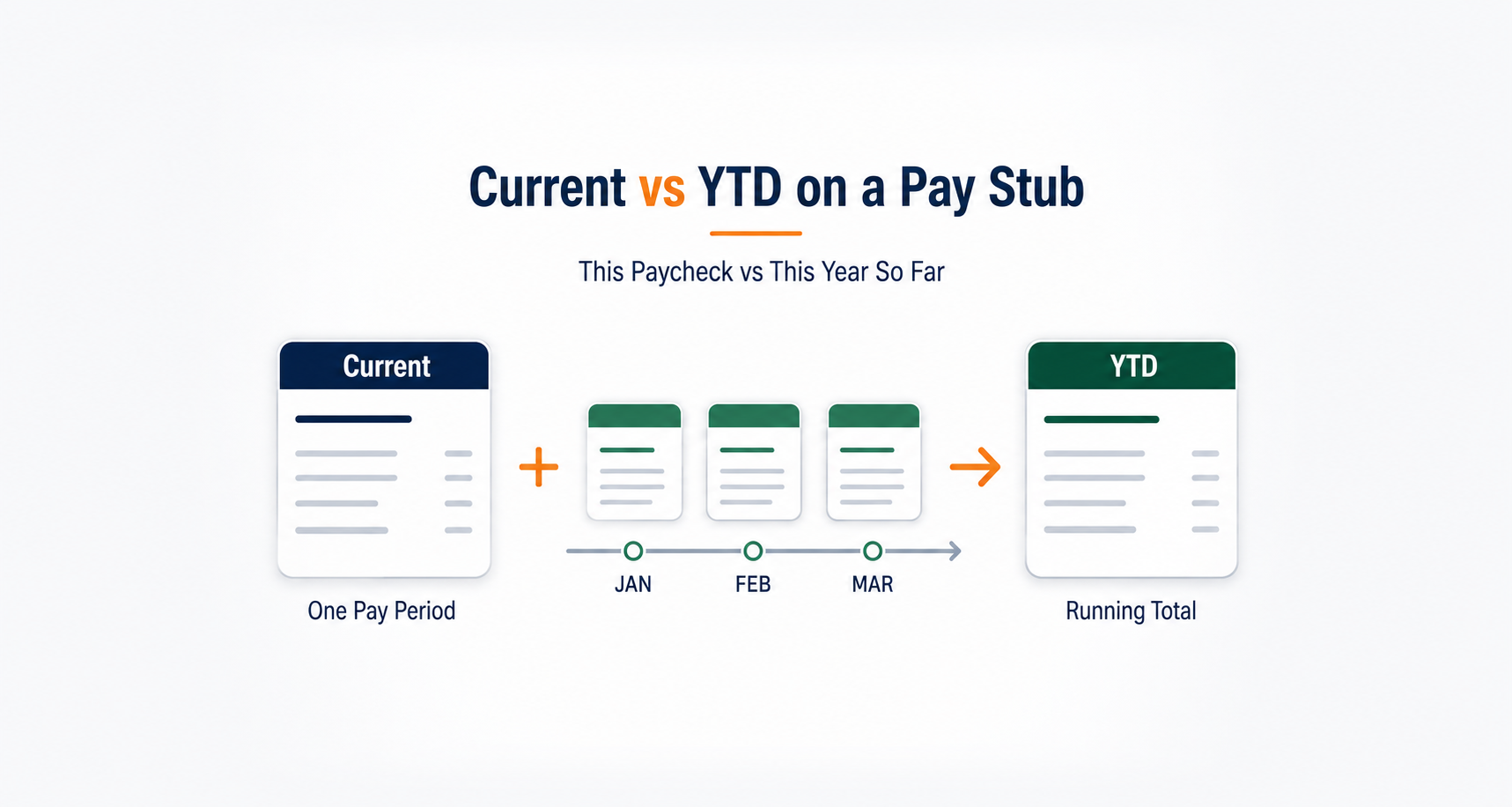
Current shows the amount on this paycheck. YTD (year-to-date) shows the running total for the same payroll line through this pay date.
YTD is not another paycheck or another deduction. For take-home pay, find the Current net pay row.
Sample pay statement
Pay date: September 18, 2026
Six identical paychecks
| Payroll line | Current This check | YTD Year so far |
|---|---|---|
| Gross earnings | $2,000.00 | $12,000.00 |
| Federal income tax | $210.00 | $1,260.00 |
| Social Security tax | $124.00 | $744.00 |
| Medicare tax | $29.00 | $174.00 |
| Health insurance deduction | $50.00 | $300.00 |
| Other employee deductions | $67.00 | $402.00 |
| Net pay | $1,520.00 | $9,120.00 |
Same row, different time periods
Current gross: $2,000.00
YTD gross: $12,000.00
Both are gross earnings. The difference is when the earnings were recorded.
Different rows, same time period
Current gross: $2,000.00
Current net: $1,520.00
Both concern this paycheck. The difference is what is counted before and after employee taxes and deductions.
Do not compare YTD gross with Current net. That mixes different payroll categories and different time periods. The $12,000 above is not an additional paycheck or money your employer still owes you.
Read across one row at a time: compare current gross with YTD gross, current federal withholding with YTD federal withholding, and current net with YTD net. Different rows measure different things. To understand a specific YTD label beyond this side-by-side comparison, see our dedicated guide to YTD earnings, taxes, deductions, and hours.
What does Current mean on a pay stub?
Current, This Period, Period, or Current Period usually identifies what was earned, withheld, or deducted in this pay run. It is not automatically the amount deposited in your bank account: the current gross line is before employee deductions, while current net is the take-home amount recorded for the check.
Current earnings can vary with worked hours, overtime, bonuses, commissions, unpaid leave, or corrections. Current tax and benefit deductions can also change. Pay period vs YTD: the pay period identifies this check’s earnings period; YTD adds the applicable amounts recorded during the calendar year so far. Compare the same type of line, not current gross with YTD net.
What does YTD mean on a pay stub?
YTD stands for year-to-date. On an ordinary U.S. calendar-year pay statement it is the running total accumulated under a particular payroll category from the beginning of that year through the latest included pay date. YTD gross represents accumulated gross earnings, YTD federal income tax represents accumulated federal withholding, and YTD net represents accumulated net pay. Each is a different total.
A pay stub may display separate YTD regular hours, overtime hours, taxable wages, retirement contributions, or employer-paid benefits. A YTD employer contribution is not automatically an amount taken from the employee's paycheck. Do not assume YTD gross equals federal taxable wages or the amount that will appear in W-2 Box 1.
Current vs YTD on a pay stub: side-by-side comparison
| Pay-stub row | Current | YTD |
|---|---|---|
| Gross earnings | Before-deduction earnings in this paycheck | Gross earnings recorded for the year so far |
| Federal income tax | Income tax withheld from this paycheck | Federal income tax withheld so far this year |
| Social Security / Medicare | Each employee tax withheld from this paycheck | Each tax withheld so far this year |
| Employee benefit deduction | Employee-paid amount deducted this period | Employee-paid amount deducted during the year |
| Net pay | Take-home pay recorded for this paycheck | Accumulated take-home pay recorded so far |
| Regular hours (if shown) | Regular hours recorded for this period | Regular hours in that category recorded this year |
Important: The YTD column is a historical total, not a second deduction or a second payment. Gross and net are different concepts from Current and YTD: gross vs net describes what is counted; Current vs YTD describes when it is counted.
Current vs YTD gross pay and net pay: a worked example
The fictional statement above shows the sixth paycheck of a year. In the Current column, $2,000.00 gross minus $210.00 federal tax, $124.00 Social Security tax, $29.00 Medicare tax, $50.00 health insurance, and $67.00 other deductions leaves $1,520.00 current net pay. Those current employee deductions total $480.00.
Across the six identical paychecks, $12,000.00 YTD gross minus $2,880.00 in accumulated employee taxes and deductions leaves $9,120.00 YTD net pay. The YTD value on each line includes its Current value. This is a deliberately simple arithmetic illustration, not an assumption that real payroll deductions stay constant.
Why is YTD higher than Current pay?
For the same positive earnings line, YTD usually includes the latest paycheck plus earlier paychecks. It may not equal Current multiplied by the number of paychecks when earnings change.
Current pay can change with overtime, a bonus, commissions, unpaid leave, or a pay adjustment. YTD adds the amounts that actually accumulated within a given payroll line; it does not recalculate the entire year using the most recent paycheck.
| Paycheck | Current gross | Gross YTD |
|---|---|---|
| Previous statement | $2,000.00 | $10,000.00 |
| Next: $250 additional earnings | $2,250.00 | $12,250.00 |
| Next: regular pay only | $2,000.00 | $14,250.00 |
Key comparison: the last paycheck's current gross is $2,000.00, but its gross YTD is $14,250.00, not $14,000.00. The earlier $250 in extra earnings is still included in the running total. For explanations of other payroll fields, see how to read a pay stub.
How to check Current and YTD amounts across two pay stubs
For an ordinary payroll line, the most useful check is to compare the same row from two consecutive statements from the same employer and calendar year:
Basic YTD reconciliation
Previous stub's YTD + newest stub's Current = newest stub's expected YTD
If payroll posts a separately identified correction or adjustment not already included in Current, add that adjustment once. Do not double-count it.
- Check that both stubs belong to the same employer, payroll record, and year; compare their pay dates and make sure no paycheck is missing between them.
- Choose one matching category, such as gross earnings, federal withholding, or employee health-insurance deductions. Do not combine different line types.
- Write down that row's previous YTD amount and the newest Current amount. Add them.
- Compare your result with the newest YTD for that row. Check for recorded adjustments, reversals, voids, off-cycle payments, or year changes if the amounts differ.
- If the figures still do not reconcile, ask payroll for the transaction-level breakdown; do not edit a pay stub to force a match.
Example with changing pay
The previous stub shows $10,000.00 gross YTD. The newest stub shows $2,250.00 current gross, including a $250 bonus. The expected new gross YTD is $12,250.00. The previous five paychecks do not need to match the latest paycheck for this reconciliation to work.
If the new YTD says $12,750.00, the difference is $500. A separate $500 retroactive adjustment or off-cycle payment may explain it, but the difference alone does not prove what happened.
Optional tool: check a single YTD line across two pay stubs
Compare one payroll line across two statements
After identifying your columns and checking the most common explanations below, use this optional arithmetic check for one matching payroll line across two consecutive statements. The calculation runs in this page in your browser; avoid entering sensitive identifying information. Use the written steps above if scripting is unavailable.
This is an educational arithmetic check, not independent validation of an employer's payroll or tax calculation. A match does not establish that wages or deductions were correctly calculated.
When does YTD reset, and why can Current equal YTD?
Standard U.S. calendar-year payroll YTD totals generally restart with the first payment recorded in the new calendar year. Current and YTD may be equal on the first paycheck in a year, the first paycheck from a new employer, or the first period containing a particular benefit or earning category. A system may also display separately labeled fiscal-year, quarter-to-date (QTD), or prior-year totals; check the actual column heading.
December–January example: If work performed December 13–26, 2026 is paid on January 1, 2027, the IRS instructs employers to include those wages on the 2027 W-2. Ordinary payroll calendar-year totals generally follow the pay date rather than treating the December work dates as a December payment. A system-specific payroll display may still require checking with your employer. IRS: 2026 instructions for Forms W-2 and W-3.
Why do Current and YTD look different or inconsistent?
Start with the observation that matches your pay stub. First compare the same row, employer, calendar year, and pay dates. A difference is a reason to investigate, not proof of a payroll error.
My YTD amount is much larger than Current. Is that an extra payment?
Usually normal. A YTD line contains earlier applicable paychecks as well as this one. Compare Current gross with YTD gross, or Current net with YTD net. YTD is not an extra payment or an extra tax bill. On the sample above, $12,000 gross YTD is accumulated gross earnings, not the amount deposited for the latest paycheck.
Current and YTD are exactly the same. Is that wrong?
They can match on the first paycheck included in a calendar year, the first recorded payment with this employer, or the first period in which a particular earnings or deduction line appears. If they remain equal on later paychecks, confirm that the payroll record is carrying YTD totals forward.
YTD increased by more than the latest Current amount.
Check whether another paycheck, bonus, retroactive payment, off-cycle check, or posted correction occurred between the two statements. If you recorded an adjustment already included in Current, do not add it twice. Compare the exact same payroll row using the consecutive-statement steps and, if useful, the optional arithmetic checker. Ask payroll for a breakdown when the entries remain unexplained.
My YTD amount decreased since my previous pay stub.
Check whether a new calendar year began, a prior check was reversed or voided, an earlier deduction was refunded, or the payroll system issued a corrected statement. A decrease in an ordinary positive cumulative earnings line within the same year merits an explanation if none of those items applies.
My YTD total does not match my bank deposits.
Check whether you are comparing YTD net pay rather than YTD gross, then look for split deposits, paper checks, separate pay runs, reversals, and nontaxable reimbursements shown outside the net-pay line. Your bank account records payment transactions, not necessarily every category displayed on a pay stub.
My YTD gross pay does not match W-2 Box 1.
Pay-stub gross earnings and federal taxable wages can differ, such as when certain pre-tax benefit deductions affect taxable wages. W-2 Box 1 is not automatically the same as Gross YTD. Compare the relevant taxable-wage lines and ask payroll for the W-2 reconciliation. Consult the IRS W-2 instructions for the tax-reporting context.
When should you contact payroll?
Ask payroll or HR when a line cannot be reconciled after checking pay dates, missing statements, and documented corrections; an unauthorized deduction appears; or reported hours, wages, withholding, or take-home pay are inconsistent with your records. Provide the relevant pay dates and the exact line and amounts. Payroll can review the underlying entries and issue corrected records where appropriate.
Which column matters for proof of income?
Current gross pay shows earnings in a recent pay period; YTD gross pay shows earnings recorded over a longer part of the year. A landlord or lender may review both, but a single YTD number is not a substitute for a requested sequence of recent, genuine pay stubs. For irregular pay, the current check may not reflect typical earnings. Follow the reviewer's documentation requirements and never create or alter a payroll record to misrepresent income.
Frequently asked questions
What does “Pay Period YTD” mean on my pay stub?
Pay period usually describes the span of work covered by this paycheck; YTD is the running total recorded so far in the year for the specific earnings, hours, tax, or deduction row. If a statement uses the combined label “Pay Period YTD,” ask payroll which period and row the figure summarizes, because layouts and labels vary.
Is YTD a separate amount I can withdraw or will be paid later?
No. It summarizes amounts already recorded for a particular payroll category. For the amount on the latest paycheck, check Current net pay and the payment details.
Can Current be greater than YTD?
It is not the usual pattern for an ordinary positive cumulative gross-pay line, but a correction, reversal, newly created record, or mismatched payroll categories can produce an unusual-looking comparison. Verify the exact row, pay dates, and adjustment entries with payroll.
Do YTD deductions include employer contributions?
Not automatically. Employee deductions and employer-paid contributions are separate categories even if both have YTD totals. Read the row labels and do not treat an employer-paid amount as money deducted from your own check.
Related pay-stub guides
- YTD meanings for gross, net, taxes, deductions, and hours
- How to read every field of a pay stub
- Gross pay vs net pay explained
- What is a pay stub?
Need to prepare an accurate pay stub?
If you are authorized to prepare a pay record, use your actual payroll information for the Current and YTD fields. This educational guide cannot validate or replace your employer's records.
Explore the ePaystubs pay stub generatorSources and editorial information
- IRS, General Instructions for Forms W-2 and W-3: calendar-year reporting follows wages paid, including the December-to-January example.
- IRS, Your first job: paycheck tax withholding and the role of Form W-2.
- ePaystubs YTD guide: related explanation of line-specific YTD totals.
Prepared by the ePaystubs Editorial Team for U.S. general-information use. This article does not claim independent review by an accountant, attorney, or payroll professional. Payroll display conventions may vary by employer and system. This is not individualized payroll, legal, or tax advice.