
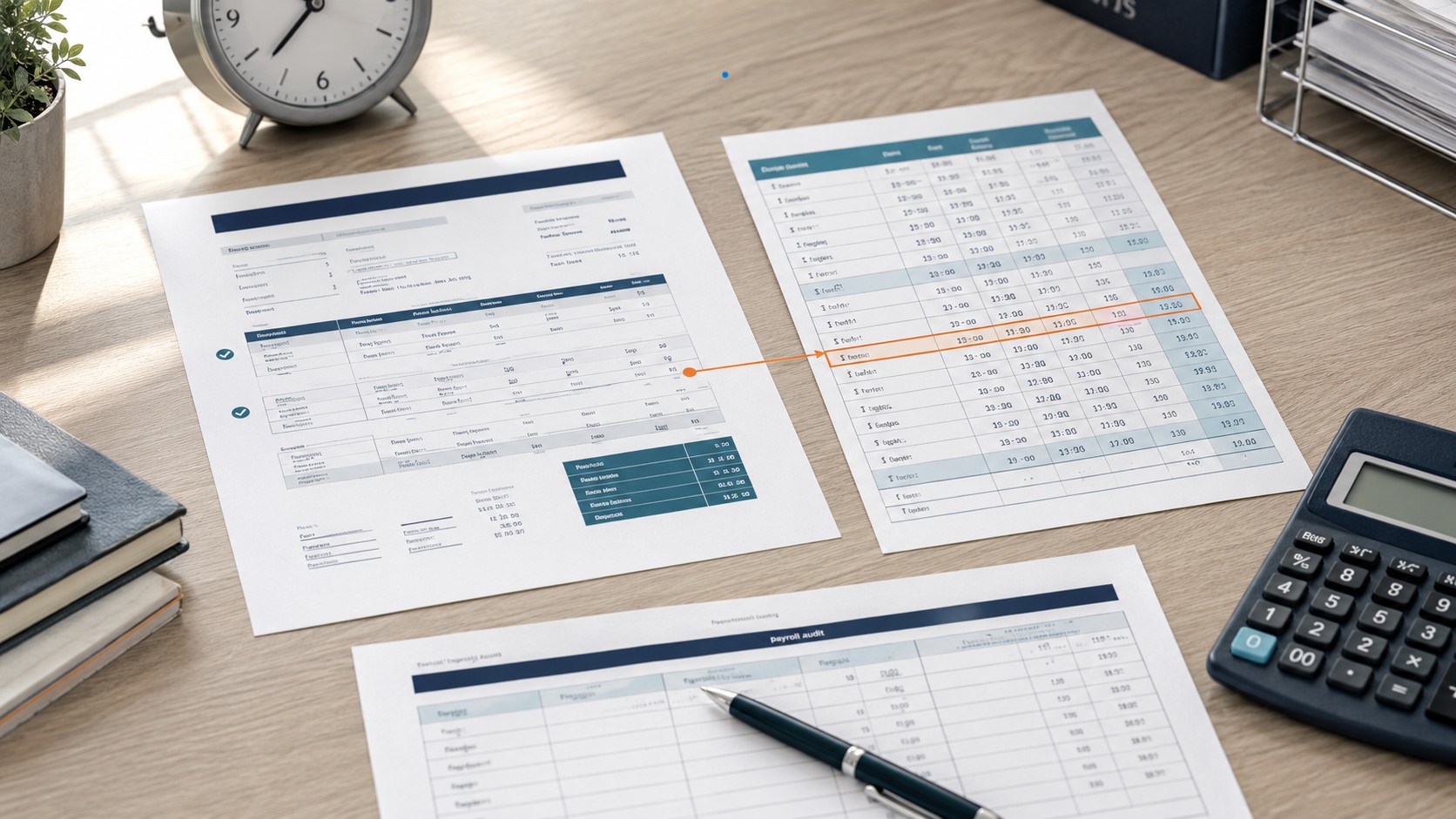
Pay Stub Hours Don’t Match Your Timecard? How to Find Missing Hours and Request a Correction
If the hours on your pay stub do not match your timecard, first compare the same work dates—not the deposit date or the timecard’s running total. Then separate clocked time, unpaid meals, regular hours, overtime, paid leave and adjustments. Rebuild expected gross pay one workweek at a time. If approved hours or dollars are still missing, save the original records and ask payroll to explain and correct the difference in writing.
The two screens do not always measure the same thing. A timecard can show elapsed time between punches, while a pay stub can split paid time across REG, OT, PTO, HOL, SHIFT and RETRO lines. A mismatch may be a display or cutoff issue, but it can also reveal a missed punch, double meal deduction, changed time entry, unpaid work, wrong rate or overtime error.
Match the pay period, recalculate each day from clock-in to clock-out, subtract only the unpaid time that actually applies, and group worked hours by workweek. Compare expected gross pay with the stub’s current gross—not net pay or YTD. If the difference remains, send payroll the exact dates, hours, rates and estimated gross shortfall and request a written correction date.
Download the approved timecard and original pay stub before either portal record changes.
Use only entries inside the pay-period start and end dates printed on the stub.
Convert minutes correctly, separate workweeks and calculate each earnings category.
Request the payroll cutoff, punch edits, deductions, calculation and correction date.
Keep the original statement and ask the employer to issue or document the correction. A self-created or altered document is not a replacement for an employer’s payroll record. The separate guide on whether it is legitimate to make your own pay stub explains that boundary.
First Identify Which “Hours” Number Is Different
Do not start by subtracting one large total from another. Label each number first. The correct explanation often appears as soon as you distinguish time between punches from hours worked, paid non-work hours and the way earnings are displayed.
| Number | What it usually represents | Why it may differ |
|---|---|---|
| Clock span | Elapsed time from clock-in to clock-out | May still include an unpaid meal or early/late punches when no work occurred |
| Hours worked | Time actually spent performing or being permitted to perform work | May include work before or after a scheduled shift that a timecard failed to capture |
| Compensated hours | Worked hours plus paid non-work categories | PTO, holiday or other paid leave can raise the total without increasing hours worked for an overtime calculation |
| Pay-stub hours | Hours or units distributed among earnings lines | REG, OT, PTO, HOL, SHIFT and adjustment lines may need to be read together |
If you set up equipment before clocking in, finished required work after clocking out, worked through a recorded meal, answered required messages or saw an approved punch changed later, the displayed timecard may not equal all time actually worked. Federal guidance says work that an employer suffers or permits can count as work time, while an early or late punch with no work may be disregarded. Record what happened, not only what a portal total says.
What if you are salaried?
A salaried pay stub may show a standard display such as 80 hours for a biweekly period or 86.67 hours for a semimonthly period even when the timecard is used for attendance, projects or leave. That display is not, by itself, proof of underpayment or proof that overtime does not apply. Ask payroll whether the hours are a presentation value, whether your salary was fully paid and how your position is classified. Salary basis, exemption status and overtime eligibility are separate questions.
Start With the Pay Period, Not the Pay Date
The pay period is the range of workdays included in a paycheck. The pay date is when the money is issued. If your stub covers July 1–14 but the timecard screen also includes July 15–18, those newer hours normally belong to a later payroll cycle. The ePaystubs pay-period guide explains pay dates, cutoffs and workweeks with weekly, biweekly, semimonthly and monthly examples.
Write down the start and end dates printed on the stub.
Display only clock entries inside that exact date range.
Look for pending, rejected, corrected or manager-edited punches.
Ask whether a late approved edit moved to an off-cycle or later payment.
Do not compare a timecard’s 80-hour overall total with only the REG line on the stub. The statement could show 72 REG, 4 PTO and 4 HOL. That may reconcile compensated hours, but PTO and holiday time should still be kept separate from hours worked when you check overtime.
Use This Eight-Check Timecard-to-Pay-Stub Audit
Work through the checks in order. If the numbers reconcile at one step, you may have found a labeling or timing difference rather than missing wages.
| Check | Use this source | Compare or calculate | Question for payroll |
|---|---|---|---|
| 1. Work dates | Stub header and filtered timecard | Same beginning and ending dates | Which cutoff and pay cycle included this work? |
| 2. Daily punches | Clock-in, clock-out and edit history | Elapsed minutes for each day | Were any punches added, deleted or changed? |
| 3. Unpaid time | Meal entries and break policy | Subtract only applicable unpaid periods | Was a meal deducted once or twice, and was it duty-free? |
| 4. Worked vs leave | Timecard codes and leave approvals | Keep worked hours separate from PTO and holiday | Where is each approved category displayed? |
| 5. Workweeks | Employer’s defined workweek | Total worked hours inside each fixed workweek | What day and time does the workweek begin? |
| 6. Rates | Wage notice, raise, policy or contract | Base rate, overtime rate and applicable premium | Which rates and differential rules were used? |
| 7. Expected gross | Your reconstructed hours and rates | Add regular, overtime and other earned compensation | Can payroll provide its earnings calculation? |
| 8. Stub gross | Current earnings and gross-pay fields | Expected gross minus current stub gross | What explains the remaining dollar difference? |
Convert clock minutes correctly
Payroll decimal time is a fraction of 60 minutes, not a clock-style decimal. Eight hours and eight minutes is 8 + (8 ÷ 60) = 8.133 hours, often displayed as 8.13 after rounding. It is not 8.08 hours. For a shift from 7:53 a.m. to 4:31 p.m., the elapsed time is 8 hours 38 minutes. After one 30-minute unpaid meal, the result is 8 hours 8 minutes, or 8.133 hours before any permitted rounding rule is applied.
Decimal hours = whole hours + (remaining minutes ÷ 60). Calculate each earnings category, add the results and compare the total with current gross pay.
Expected gross pay − current pay-stub gross pay = estimated gross-pay differenceUse the current column, not the YTD column, for this single-period comparison. Net pay comes later because taxes and deductions can change the amount deposited even when earnings are correct.
Why Clocked Hours and Paid Hours May Differ
Some differences can be explained by dates, categories or display settings. Others need an underlying time or payroll record corrected. The status below is a diagnostic starting point, not a legal conclusion.
| Possible reason | What it looks like | Initial status | What to verify |
|---|---|---|---|
| Pay-period cutoff | The timecard includes days after the period ending date | Likely timing difference | Next stub and payroll calendar |
| Hours split across lines | REG looks short, but PTO, HOL or TRN appears separately | May be fully compensated | Every current earnings line |
| Pending or rejected punch | An alert, edit request or approval is unresolved | Workflow issue | Approval history and cutoff |
| Automatic meal deduction | The difference repeats by 0.5 hour per shift | Needs factual check | Whether the meal was taken, duty-free and deducted only once |
| Rounding | Daily differences are a few minutes | Needs pattern review | Original punches, rule used and whether the effect balances over time |
| Early or late punches | The clock span exceeds scheduled work | Depends on activity | Whether actual work occurred during those minutes |
| Off-the-clock work | Required setup, cleanup, messages or interrupted meals are absent | Timecard may be incomplete | Tasks, instructions and contemporaneous records |
| Timecard edited after approval | Saved total differs from the current portal total | Needs audit trail | Edit timestamp, editor and stated reason |
| Overtime grouped incorrectly | Biweekly total looks right, but one workweek exceeded 40 | Possible pay issue | Each workweek, coverage and any exemption |
| Wrong rate or premium | Hours appear, but gross pay is low | Possible pay issue | Raise date, rate, shift differential and regular-rate calculation |
| Late correction | An approved edit missed payroll processing | Correction pending | Off-cycle date or later RETRO/ADJ line |
| Salaried default hours | Every biweekly stub shows 80 hours | May be a display value | Salary paid, leave treatment and classification |
Meal deductions and short breaks
Under the general federal guidance for covered employment, short rest periods—usually 20 minutes or less—are counted as hours worked. Bona fide meal periods generally need not be paid when the employee is completely relieved from duty. See the Department of Labor’s hours-worked guidance. State rules can be different or more protective. If the timecard already shows a clocked-out meal and the payroll system also subtracts a meal automatically, ask whether the same period was deducted twice.
Rounding does not mean “always round down”
The federal time-clock regulation permits certain rounding practices when, over time, they do not result in failure to compensate employees properly for all time actually worked. Compare the original punches with the rounded total across several days or pay periods. A one-direction pattern deserves an explanation. Read 29 CFR 785.48 for the current regulatory text.
Two Worked Examples of Missing Pay
Example 1: Three regular hours are missing
Suppose an hourly employee earns $20 per hour and the biweekly timecard shows 42 hours in week one and 38 hours in week two. For this simplified example, the worker is covered and nonexempt, and no bonus, differential or multiple-rate arrangement changes the regular-rate calculation.
| Calculation | Hours and rate | Expected pay | Stub shows |
|---|---|---|---|
| Regular hours | 78 × $20.00 | $1,560.00 | 75 × $20.00 = $1,500.00 |
| Overtime hours | 2 × $30.00 | $60.00 | 2 × $30.00 = $60.00 |
| Total gross pay | 80 hours across two workweeks | $1,620.00 | $1,560.00 |
| Estimated difference | 3 regular hours × $20.00 | $60.00 | Needs payroll review |
The two-week total is 80 hours, but the overtime does not disappear. For covered, nonexempt employees under the standard federal rule, overtime is generally calculated after 40 hours in a fixed workweek rather than by averaging two weeks together. The Department of Labor’s overtime fact sheet explains the rule and its limits.
Example 2: A meal appears to be deducted twice
Suppose a worker earns $18 per hour and has ten shifts in a biweekly period. The employee clocked out for a 30-minute meal each shift, so the timecard’s daily total already excludes the meal. The stub is exactly five hours lower than the approved timecard: 10 shifts × 0.5 hour = 5 hours.
Five missing regular hours at $18 per hour would produce a $90 estimated gross difference. Before treating $90 as final, split the shifts by workweek. If restoring those hours pushes either workweek above the applicable overtime threshold, the correction may require a separate overtime calculation.
Ask payroll for the raw punch detail, the automatic-deduction rule and the final paid-hours calculation. Do not assume the repeated half-hour proves intent; it is a pattern that needs a specific explanation.
When the simple overtime formula is not enough
Multiple rates, nondiscretionary bonuses and some shift differentials can affect the federal regular rate used for overtime. The Department of Labor’s regular-rate fact sheet starts with total includable compensation divided by total hours worked in the workweek. If you see NIGHT, SHIFT, DIFF or PREM, use the ePaystubs guide to shift differential pay and ask payroll which earnings were included. Exemptions, special methods and state rules can change the result.
Build a Pay-Period Evidence Record
Preserve the version you reviewed before portal data changes. Download the pay stub and approved timecard when possible. If the system provides only a screen, capture the full date range, approval status and daily entries. Keep originals private and use an employer-approved channel; do not email a full Social Security number, bank-account number or password.
The Department of Labor’s Timesheet App can help workers keep a separate record of regular hours, breaks and overtime going forward. It does not replace the employer’s timekeeping system or decide whether a mismatch violates the law.
Use a recurring-error ledger
For a mismatch that appears more than once, use one row per pay period. This prevents a small repeated difference from disappearing inside YTD totals and gives payroll one clean sequence to review.
| Pay date | Period | Timecard regular / OT | Stub regular / OT | Expected gross | Stub gross | Difference and response |
|---|---|---|---|---|---|---|
| [date] | [start–end] | [regular] / [overtime] | [regular] / [overtime] | [$] | [$] | [$] · [ticket/status] |
| [date] | [start–end] | [regular] / [overtime] | [regular] / [overtime] | [$] | [$] | [$] · [ticket/status] |
Keep this ledger as a private working paper. Do not alter the original timecard or pay-stub files to make their numbers match your calculation.
Request the Correction—and Verify the Result
Send one focused example first. Identify the exact period, the affected work dates, the figures on each record and the amount you cannot reconcile. Ask for the calculation and a specific correction date instead of sending only “my check is wrong.”
Subject: Hours and gross-pay review for [pay date]
Hi [Payroll/HR name],
I compared my approved timecard with my pay stub for [pay-period dates]. My records show [regular hours] regular hours and [overtime hours] overtime hours. The pay stub shows [stub hours and rates]. I calculated expected gross pay of [$ amount], compared with current gross pay of [$ amount], for an estimated difference of [$ amount].
Please confirm the pay-period cutoff, any punch edits or meal deductions, the workweek used for overtime, and the rates or premiums included in payroll’s calculation. If a correction is needed, please tell me when it will be paid and how the corrected hours, gross pay and YTD totals will be documented.
I have attached [approved timecard / schedule / wage-rate notice / original pay stub] through [approved secure method].
Thank you,
[Name and employee ID, if appropriate]
Check the correction line by line
A later correction may appear as RETRO, ADJ or another payroll-specific label. The ePaystubs guide to retro pay on a paycheck explains how delayed rate and earnings corrections can appear. Keep the original stub, the corrected or later stub and payroll’s explanation together.
| Verify | What should reconcile |
|---|---|
| Affected period | The correction identifies or can be traced to the missing work dates |
| Hours and rates | Regular, overtime and premium components use the explained calculation |
| Gross correction | Correct gross wages minus gross wages already paid |
| Current and YTD | The new payment and cumulative totals reflect the adjustment consistently |
| Deposit | Net correction matches the actual payment after explained taxes and deductions |
What to Do If Confirmed Missing Pay Is Not Corrected
If payroll explains the difference, test that explanation against the source records and corrected statement. If confirmed hours or wages remain unpaid, preserve the documents and check the rules where the work was performed. State payday, wage-statement, meal, rounding and overtime protections can differ from federal minimums.
| Situation | Best next contact | What to bring |
|---|---|---|
| Dates, codes, punch edits or approval status are unclear | Payroll, timekeeper, manager or HR | One-period reconciliation and focused questions |
| State payday, meal-break or wage-statement concern | Applicable state labor agency | Work location, pay periods, policy and employer response |
| Possible federal minimum-wage, overtime, hours-worked or recordkeeping concern | U.S. Department of Labor Wage and Hour Division | Employer details, dates, duties, hours, rates and records |
| Large, repeated, disputed or retaliation-related issue | Applicable agency and/or qualified employment professional | Complete ledger, originals and communication timeline |
- Follow up in writing and request a definite correction date.
- Save the timecard versions, schedules, wage notices, stubs and communications.
- Use the U.S. Department of Labor’s state labor-office directory to find the relevant state agency.
- If the issue may involve a law administered by the federal Wage and Hour Division, review its complaint process.
- Seek qualified advice promptly if the amount is substantial, the issue repeats, records were changed or you are concerned about retaliation or a filing deadline.
The Department of Labor’s recordkeeping fact sheet says covered employers must keep specified records of hours and wages. It generally identifies a three-year period for payroll records and a two-year period for wage-computation records such as timecards, wage-rate tables and schedules. Employer recordkeeping duties are separate from state-law rights to receive or inspect a wage statement.
Ask when the correction will be paid, but do not assume the same deadline applies everywhere. Payday requirements, correction timing, available remedies and filing periods vary by jurisdiction and facts. Contact the appropriate agency or a qualified professional for guidance about your situation.
An authorized employer can use our check stub generator with accurate time, wage, tax and deduction records to prepare a clear current pay-stub record. Reconcile the affected work dates, rates, overtime, taxes, deductions and YTD figures first. Do not backdate a document or present a newly generated record as the original statement from an earlier payroll run.
Frequently Asked Questions
Why does my timecard show more hours than my pay stub?
The timecard may include days after the pay-period cutoff, elapsed time before an unpaid meal, pending edits or time the stub divides among regular, overtime, PTO, holiday and adjustment lines. Match the dates, convert minutes correctly and read every current earnings line. If approved worked hours remain missing, ask payroll for its calculation.
Why is my pay stub exactly 30 minutes short for every shift?
That pattern may point to a meal deduction. Check whether the timecard total already excludes a clocked-out meal and whether payroll subtracts another automatic meal. Also record whether the meal was actually taken and duty-free. Ask payroll for the raw punches and deduction rule before drawing a conclusion.
Why do decimal hours look different from hours and minutes?
Decimal time uses sixty minutes per hour. Eight hours eight minutes is 8 + (8 ÷ 60), or 8.133 hours before rounding—not 8.08. Recalculate from the original punches so a conversion mistake is not confused with missing time.
Why does my salaried pay stub always show 80 hours?
Some payroll systems use a standard 80-hour biweekly display for salaried pay even when a timecard serves another purpose. Confirm whether your salary was fully paid, what the displayed hours mean and how your position is classified. The standard display alone does not resolve overtime eligibility or a possible deduction issue.
Can overtime disappear because the second week had fewer hours?
Under the standard federal rule for covered, nonexempt employees, overtime is generally evaluated within each fixed workweek. An employer generally cannot average 45 hours in one week with 35 in the next to remove five overtime hours merely because the biweekly total is 80. Exemptions, special methods and state rules can change the result.
What if my approved timecard changed after payroll closed?
Preserve the version you reviewed and ask for the punch-edit history, edit timestamp, editor, reason and payroll effect. A legitimate correction may change a time record, but you should be able to trace how the change affected paid hours and gross pay. Do not alter either version yourself.
Should a correction appear on a new pay stub?
Ask payroll how the correction will be documented. A later statement may show RETRO, ADJ or another correction line, while state wage-statement rules may require particular information. Keep the original and corrected records together and verify the affected period, hours, gross amount and YTD totals.
Official Sources and References
- U.S. Department of Labor Fact Sheet #21: FLSA Recordkeeping Requirements
- U.S. Department of Labor Fact Sheet #22: Hours Worked Under the FLSA
- U.S. Department of Labor Fact Sheet #23: Overtime Pay Requirements
- U.S. Department of Labor Fact Sheet #56A: Regular Rate of Pay
- Electronic Code of Federal Regulations: 29 CFR 785.48, Use of Time Clocks
- U.S. Department of Labor: Timesheet App
- U.S. Department of Labor: State Labor Offices
- U.S. Department of Labor: How to File a Wage and Hour Complaint