
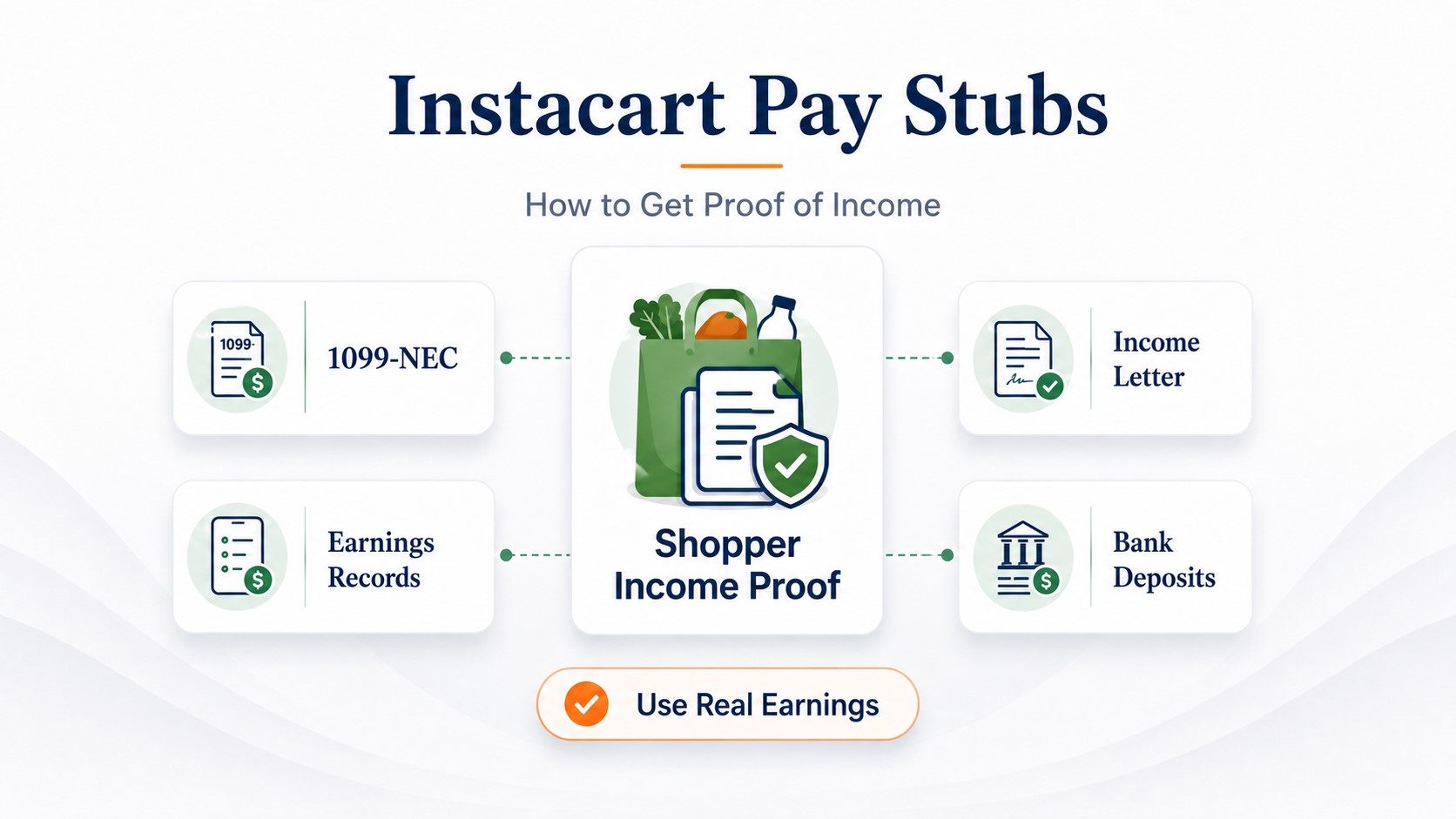
Instacart Pay Stubs: How Shoppers Can Prove Income for Rent or Loans
Instacart shoppers generally do not receive traditional employee pay stubs. To prove income, start with the income-verification option available through the Instacart Shopper portal or your earnings history in the Shopper app. Pair that record with recent bank statements, a 1099 form, or tax returns when a landlord or lender requests additional verification.
Being paid through the Instacart Shopper app does not prevent you from qualifying for an apartment, car loan, personal loan, or mortgage. However, your paperwork may look different from the documents submitted by a traditional W-2 employee.
The most important step is choosing documents that show three things clearly: who earned the money, what period the earnings cover, and whether those earnings match the deposits in your bank account. This guide explains how to build that record without presenting a self-created document as something issued by Instacart.
- Does Instacart provide pay stubs?
- Choose the right document
- Income-verification portal
- Portal troubleshooting
- Shopper app earnings
- Earnings versus bank deposits
- Proof of income for rent
- Proof of income for loans
- Proof of income for a mortgage
- 1099 and tax documents
- Formatted earnings record
- Submission checklist
Does Instacart Provide Pay Stubs?
Most people using the Instacart Shopper app earn money as independent contractors rather than traditional payroll employees. Independent contractors normally do not receive employee pay stubs showing withheld federal income tax, Social Security, Medicare, benefits, and employer contributions.
Instead, an Instacart shopper's income records usually come from the Shopper app, an available income-verification service, bank deposits, and annual tax documents.
If you are directly employed through a payroll arrangement: Use the payroll portal or payroll contact assigned to your position. Some current or legacy roles may have different employment and documentation arrangements. Check your contract, onboarding records, or tax form before deciding which instructions apply to you.
Your tax form provides another useful clue. A W-2 generally indicates an employee relationship, while a 1099 form generally reports nonemployee or other platform-related payments. If you are unsure, do not guess—check the documents associated with your own account.
Which Instacart Income Document Should You Use?
There is no single document that every landlord, lender, mortgage underwriter, or government agency must accept. Ask the recipient what it requires before uploading sensitive financial information.
| Situation | Start with | Add if requested | Important limitation |
|---|---|---|---|
| Apartment or house rental | Portal record or recent Shopper app earnings history | Bank statements and your latest tax form | The property manager decides which formats it accepts |
| Car or personal loan | Earnings history and matching bank deposits | 1099, tax return, or current profit-and-loss statement | Each lender uses its own underwriting rules |
| Mortgage | Tax returns and lender-requested self-employment records | 1099s, bank statements, or a current profit-and-loss statement | An app screenshot usually will not establish qualifying income by itself |
| Benefits or assistance program | The agency's required form or an available portal record | Earnings history, deposits, and tax documents | The record may need your name and a defined reporting period |
| Personal bookkeeping | Shopper app history and bank-deposit reconciliation | A spreadsheet or formatted earnings record | A self-created record is not issued by Instacart |
How to Use the Instacart Income-Verification Portal
Instacart maintains a Shopper income-verification portal at shoppers.instacart.com/income_verifications. Because the detailed options appear after account authentication, the available fields, reporting periods, and download formats may differ by account or change over time.
- Open the Instacart income-verification page.
- Sign in using the phone number or account details connected to your Shopper account.
- Review the income records and time periods currently available to you.
- Save or print the available record if the portal provides that option.
- Check that your name, earnings period, and total are visible before submitting it.
- Ask the recipient whether it also needs bank statements or tax documents.
Do not assume one portal record will satisfy every application. A landlord may accept recent earnings and deposits, while a mortgage lender may need tax returns and a formal analysis of self-employment income.
What If Instacart Income Verification Is Not Working?
A broken link, missing verification code, incomplete record, or rejected screenshot can delay an application. Use the following fallback process instead of repeatedly submitting the same incomplete document.
Confirm the web address, try a private browser window, and test another current browser or device.
Confirm that the phone number or email is connected to your Shopper account. Then retry after checking blocked or filtered messages.
Do not rely on a cropped earnings screenshot alone. Ask the recipient whether an additional account page, verification record, or bank statement can establish ownership.
Collect consecutive weekly earnings records and match them to bank deposits covering the period requested.
Compare the same earnings dates, payout dates, instant cashouts, tips, promotions, and bank deposits before reporting a mismatch.
Ask for its written list of acceptable alternatives. Depending on the application, this may include statements, tax returns, 1099s, or a current profit-and-loss statement.
If the problem continues, contact Instacart Shopper Support through the app and describe the exact record and period you need. Support availability does not guarantee that a custom letter can be produced, so keep alternative documentation ready.
How to Find Your Earnings in the Instacart Shopper App
Instacart states that shoppers can view their earnings after completing a batch in the Earnings section of the Shopper app. The exact button names and screen order may change when the app is updated, but the general process is:
- Open the Instacart Shopper app and sign in.
- Open the Earnings section.
- Select the week or completed batch you need.
- Review the available earnings breakdown.
- Save consecutive records covering the period requested.
- Compare those records with the deposits shown by your bank.
What Instacart shopper earnings can include
According to Instacart's published earnings information, total shopper earnings can include batch pay, promotions, and customer tips. Batch pay can reflect factors such as shopping time, number and weight of items, and driving distance. Heavy pay or a boost may be included in batch pay when applicable.
- Batch pay: Payment connected to completing an offered batch.
- Promotions: Additional earning opportunities that may be offered during eligible periods.
- Customer tips: Instacart states that shoppers receive 100% of customer tips.
- Boosts or heavy pay: These may appear as components associated with qualifying batch pay.
Avoid adding invented employee fields, hourly wages, tax withholding, bonuses, or deductions that do not appear in your actual records. Contractor earnings are not the same as an employer payroll statement.
Why Instacart Earnings and Bank Deposits May Not Match Exactly
A weekly app total and one bank deposit may not be identical. The money can arrive through weekly direct deposit, instant cashout, or more than one payout. Deposit timing, cashout fees, pending tips, and the dates covered by each record can also affect the comparison.
This example is educational and is not an actual Instacart statement. When preparing proof of income, reconcile your real records instead of copying sample amounts.
How to reconcile your records
- Write down the beginning and ending dates shown in the earnings record.
- List every payout or cashout connected to that period.
- Account for any tips that were finalized later.
- Identify applicable cashout fees or split payouts.
- Prepare a short explanation for any remaining timing difference.
For a broader explanation of matching platform records with deposits, read our guide to proof of income for gig workers.
How to Prove Instacart Income for an Apartment
Start by telling the property manager that you earn variable self-employment income through Instacart. This helps the reviewer ask for contractor documents instead of waiting for employee pay stubs that may not exist.
A practical rental package can include:
- An available Instacart income-verification record
- Consecutive recent Shopper app earnings records
- Recent bank statements showing related deposits
- Your latest applicable 1099 or tax return
- A short explanation of your independent-contractor status
Ask before sending everything. Bank and tax records contain sensitive information. Confirm the required period, redact unrelated account numbers, and use the property's secure submission method.
If the landlord wants more information about self-employment income, see our guide to proof of income for an apartment.
How to Prove Instacart Income for a Car or Personal Loan
Consumer lenders generally want to know whether your income is current, consistent, and sufficient for the requested payment. Because Instacart income can vary by week, one unusually strong earnings screenshot may not provide enough context.
Prepare a consistent file containing:
- Several consecutive earnings periods
- Bank deposits covering those same periods
- Your latest relevant tax form or filed return
- A simple average of your monthly gross earnings
- A current profit-and-loss statement if the lender requests one
Do not claim that a particular document guarantees approval. Credit, existing debt, income stability, loan size, and each lender's policy can also affect the decision. Our loan proof-of-income guide covers the wider document process.
How Instacart Shoppers Prove Income for a Mortgage
Mortgage documentation is usually more demanding than apartment or consumer-loan documentation. The lender may analyze self-employment income using filed tax returns rather than treating gross app earnings as qualifying income.
Depending on the loan program and your circumstances, the lender may request:
- Personal and applicable business tax returns
- Schedule C or other relevant tax schedules
- 1099 forms
- A year-to-date profit-and-loss statement
- Business or personal bank statements
- Evidence that the income is stable and likely to continue
Gross app earnings are not automatically mortgage-qualifying income. Business expenses reported on your tax return can reduce net self-employment income. The lender or underwriter determines the amount it can use.
Fannie Mae's published selling guidance discusses the analysis of stable self-employment income, tax returns, and profit-and-loss statements. Requirements still depend on the lender, loan program, documentation method, and borrower.
Using a 1099 and Tax Return as Proof of Income
A 1099 reports payments made to you, but it does not work exactly like a W-2 or traditional pay stub. It generally does not show current weekly income, and it does not by itself prove that the same level of earnings continues today.
For payments made in 2026, the general federal Form 1099-NEC reporting threshold increased to $2,000. Before 2026, the general threshold was $600. Special circumstances, backup withholding, state rules, or the type of payment can affect reporting.
The reporting threshold is not a tax-free allowance. Income can still be reportable on your tax return even when you do not receive a 1099 form. Keep your own records and consult a qualified tax professional about your circumstances.
If your tax form identifies the payer using a legal business name rather than the Instacart brand, use the information printed on your actual form. Do not copy a payer name, address, or tax ID from another shopper's document.
For more detail, read our guide to using a 1099 as proof of income.
Should you include a profit-and-loss statement?
A current profit-and-loss statement can organize your gross income and ordinary business expenses over a specific period. It may help when a lender wants more recent information than your last filed tax return provides.
A basic statement may show:
- Gross Instacart and other gig-platform earnings
- Business mileage or vehicle expenses, when applicable
- Phone, supplies, insulated bags, and other eligible expenses
- Total expenses
- Estimated net profit for the covered period
Use real bookkeeping records and avoid claiming deductions without support. The recipient may request additional documentation or a professionally prepared statement.
When a Formatted Earnings Record May Help
A formatted record can make genuine Instacart earnings easier to read, especially when the recipient is accustomed to a standard pay-stub layout. It should supplement your source documents rather than replace them.
Before creating one, ask the landlord or lender whether it accepts a self-created earnings record from an independent contractor. If it does, use amounts that can be verified through the Shopper app, bank deposits, and tax records.
Important: A document created using ePaystubs is not issued or verified by Instacart. Do not label Instacart as your employer if that is not your actual relationship. Do not use unauthorized Instacart branding, invent tax withholding, or present the document as an official Instacart pay stub.
Enter only accurate earnings and deductions supported by your records. Learn more about honest document use in our guide explaining whether it is legal to make your own pay stubs.
Instacart Proof-of-Income Submission Checklist
- Your name or other acceptable account identification is visible.
- The beginning and ending dates are clear.
- The earnings source can be identified.
- The totals match or can be reconciled with bank deposits.
- Several consecutive periods are included when consistency matters.
- Unrelated transactions and account numbers are safely redacted.
- You have confirmed which formats the recipient accepts.
- A self-created document is clearly identified as self-created.
- No earnings, deductions, withholding, or employment details were invented.
- Documents are submitted through a secure method.
Frequently Asked Questions
Most independent contractors using the Instacart Shopper app do not receive traditional employee pay stubs. Their proof of income can come from the income-verification portal, Shopper app earnings history, bank deposits, tax forms, and filed tax returns.
Check the Instacart income-verification portal and the Earnings section of the Shopper app. Save records covering the requested period and pair them with matching bank statements or tax documents if the landlord, lender, or agency requires additional support.
Check your account details, try a private browser window, and review the earnings history in the Shopper app. If the portal remains unavailable, contact Shopper Support and ask the recipient whether it accepts consecutive app records, bank statements, 1099s, or tax returns instead.
Yes, Instacart earnings can be considered income, but the property manager chooses its documentation requirements. A useful package may include an available verification record, consecutive app earnings records, recent bank statements, and your latest relevant tax document.
An Instacart shopper may qualify if the lender determines that the borrower's documented income, credit, debts, assets, and other factors meet the loan requirements. Mortgage lenders may analyze tax returns and net self-employment income rather than relying only on gross app earnings.
Eligible shoppers may receive an applicable 1099 based on their payments and current reporting rules. For payments made in 2026, the general federal Form 1099-NEC reporting threshold is $2,000. Income may still be reportable even if no form is issued.
The difference may result from payout timing, multiple cashouts, applicable cashout fees, tips finalized later, or mismatched reporting periods. Compare all payouts connected to the same earnings dates before reporting an error.
You can organize genuine earnings into a formatted record if the recipient accepts that type of document. It is not an official Instacart-issued pay stub and should not be represented as one. Use only accurate figures supported by your app, bank, and tax records.